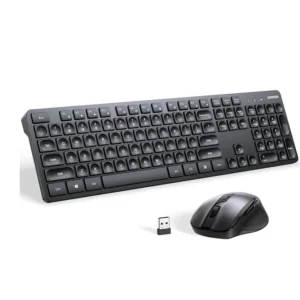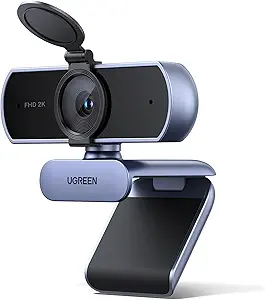
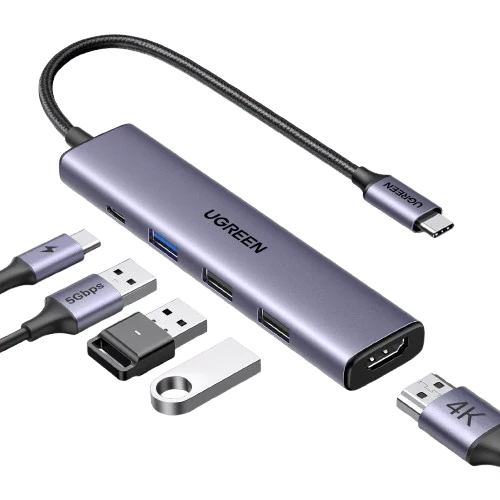
UGREEN Revodok 105 USB C Hub 5 in 1 Multiport Adapter 4K HDMI
د.ا15.00
Description


1. Why does the iPad Pro series not display images?
Due to the tablet’s image output mechanism, it needs to identify the USB3.0 device to output images. You can first connect the device to the USB3.0 port of the hub, and then connect the hub to the iPad Pro to display the image.
2. What happens when there is no HDMI image output after the product is connected?
1) Please make sure that the USB-C interface of the laptop supports the video function;
2) Please confirm whether the length and specifications of the connected cable meet the requirements, and whether the interface is firmly plugged;
3) Please adjust the resolution setting of the laptop, the resolution supported by your monitor may be lower than the highest supported resolution of the product;
4) Please select the correct input signal source (some monitors need to manually select the signal source);
5) You can try to restart the laptop, or re-plug the upstream end;
6) If possible, try a different monitor and laptop.
Related products
-

UGREEN K331 Full Size Wireless Keyboard, 104 Keys, 2.4GHz
د.ا10.00 Add to cart Buy via WhatsApp -

UGREEN Wireless Keyboard and Mouse Combo Ergonomic 2.4GHz Small Silent 5 DPI Levels up to 4000 for PC and Laptop Arabic
د.ا18.00 Add to cart Buy via WhatsApp -
UGREEN 30843 Type-C to HDMI VGA Converter White (V28-ACBUGN30843)
د.ا16.00 Add to cart Buy via WhatsApp -

UGREEN Vertical Ergonomic Mouse, Bluetooth & 2.4G, Silent Quiet Clicks, 5 Buttons, 4000 DPI & 4 Adjustable DPI
د.ا20.00 Add to cart Buy via WhatsApp


Reviews
There are no reviews yet.